EarthToMC v1.1-beta - Download and Installation tutorial
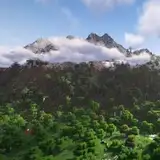
Added 2025-01-18 19:01:44 +0000 UTCDear friends, in just a few days it will have been a year since I released my first real-world map for Minecraft. In a short time, this little project grew into something much bigger: thanks to everyone’s enthusiasm and positive feedback, my goal became to develop—completely from scratch—a piece of software that can automatically generate maps of any real-world area for Minecraft, in a simple, fast, and intuitive way, yet with incredibly detailed results.
After months of work and support from the community, I’m finally happy to announce that EarthToMC is now available in beta for everyone subscribed to a Top Tier plan or higher!
EarthToMC v1.1beta changelog:
- Fixed a bug that caused critical errors during maps generations with a resolution greater than 3m (Error code 72)
- Fixed a bug that caused critical errors during maps generations of areas without land cover datasets available (Error code 14)
- Fixed a bug that caused critical errors during maps generations of areas without OpenStreetMap pbf files available (Error code 6)
- Fixed a bug that caused erroneous areas with altitude set to -64 on the lower and right borders of a map. Those areas are now filled with void. Outside, Minecraft Vanilla generation will take place
- Fixed a bug occurring with the selection of the folders just before the start of the generation
- Fixed a bug that caused some folders to be selectable even if WSL doesn't have permission to write there (when selecting /mnt/c or /)
- Fixed a bug that caused multiple instances of EarthToMC to be opened at the same time
- Fixed a bug that caused unnecessary link files creation
- You can now let the application remember your custom folder paths for the Minecraft world, the Worldpainter tiles and the QGIS project
- You can now let the application remember your credentials
- Error codes are now shown when a critical error occurs
- Fixed a bug that caused the app to not open on Windows 10 (wslg error)
- Fixed a bug that caused Anaconda installation failures (source .bashrc problem)
- Fixed a bug that caused the app to not open on Linux
- Added tons of safety checks before and during the installation, now the installation logs are automatically uploaded on EarthtoMC servers for debugging purposes
- Fixed a bug that caused the app to not open if a WSL distribution was already installed on the pc (python / conda errors)
- Fixed a bug that caused problems using and installing the app when a not updated WSL version is already installed on the pc
- Fixed a bug that caused logs uploads to EarthToMC servers for debugging purposes to not work in some circumstances, you'll not have to send me the logs anymore if you encounter a problem
- Removed the "EarthToMC_safemode.bat" file, to start EarthToMC GUI in safe mode (without the map) read Known Bugs
You can find a complete overview of all the functionalities of EarthToMC inside the public post of this release, at this link: https://www.patreon.com/posts/120236199
If you have already installed EarthToMC before
Step 1: Open Start and search for “Ubuntu 22.04 LTS”.
Step 2: Copy and run the following command, make sure to copy the entire command:
rm earthtomc_installer_1.1beta_43643.sh; wget https://www.earthtomc.com/app/installers/earthtomc_installer_1.1beta_43643.sh; chmod +x earthtomc_installer_1.1beta_43643.sh; ./earthtomc_installer_1.1beta_43643.sh
When the installation is finished, you’ll find the updated version of EarthToMC on the "earthtomc” folder on your Desktop! Note that updating EarthToMC will replace any existing older version that is on your desktop.
Installation Tutorial for Windows 10 - 11
Step 1: Open Start and search for “Powershell”. A terminal window will appear.
Step 2: Copy and paste the following command (right click on the terminal to paste):

wsl --update; wsl --install -n -d Ubuntu-22.04; wsl -s Ubuntu-22.04

This command installs the Windows Subsystem for Linux, which enables the software to run, and takes about 5–10 minutes. Don't worry if some error code shows up if you're asked just reboot the pc
Step 3: Once the installation is complete, restart your computer if you are prompted to do that.
Step 4: Open Start and search for “Ubuntu 22.04 LTS”. You will be asked to create a username and password. Note that while typing your password, characters will not appear on the screen— this is normal.
Step 5: Copy and run the following command, make sure to copy the entire command:

rm earthtomc_installer_1.1beta_43643.sh; wget https://www.earthtomc.com/app/installers/earthtomc_installer_1.1beta_43643.sh; chmod +x earthtomc_installer_1.1beta_43643.sh; ./earthtomc_installer_1.1beta_43643.sh
This will automatically install all dependencies and the software itself. Enter the password you created the step before when asked for.
When the installation is finished, you’ll find a folder called “earthtomc” on your Desktop!
Installation Tutorial for Linux
Step 1: Open a bash terminal
Step 2: Copy and run the following command, make sure to copy the entire command:
rm earthtomc_installer_1.1beta_43643.sh; wget https://www.earthtomc.com/app/installers/earthtomc_installer_1.1beta_43643.sh; chmod +x earthtomc_installer_1.1beta_43643.sh; ./earthtomc_installer_1.1beta_43643.sh
This will automatically install all dependencies and the software itself. Enter the password you created the step before when asked for.
When the installation is finished, you’ll find a folder called “earthtomc” on your Home folder!
How to open the program
On Windows:
Open the “EarthToMC” folder on your Desktop (created at the end of the installation) and run the “EarthToMC.bat” file.
On Linux:
Open a terminal and type this command:
cd $HOME/earthtomc/gui; conda activate earthtomc; python gui.py 0
After about 5–10 seconds, a login screen will appear. Enter the credentials you received from AtmosphericBeatsMC on Patreon within 24 hours of subscribing.
If you haven’t received them yet, feel free to contact me here on Patreon or on Discord!
Known bugs
- On some computers the graphical interface may be slow due to unknown reasons, if you ever experience something like that please report it to AtmosphericBeatsMC in #help on our discord server.
If the slowness has too much impact for you, edit the EarthToMC.bat file replacing the line "set safemode=0" to "set safemode=1"
This will start a simplified graphical interface of the software without the map on the left. Instead of making the bounding box interactively, you’ll have to manually define the coordinates of the rectangle.
Please report any bug or anomaly to AtmosphericBeatsMC on Discord in #help
https://discord.com/invite/SXvNS8x2pJ