DOWNLOAD THE BEST RESHADE ASSETTO CORSA
Added 2022-04-02 17:58:56 +0000 UTC
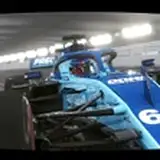
Hello friends, today I bring you the one that for me is the best reshade to date for assetto corsa, it is specially dedicated to the SHUTOKO circuit, it can also be played on any circuit and it looks fantastic. I hope you like it and enjoy it. ( RESHADE VERSION 4.9.1 )
DOWNLOAD RESHADEVERSION 4.9.1: https://sharemods.com/w1t3bd3j742s/ReShade_Setup_4.9.1.rar.html
VIDEO YOUTUBE: https://youtu.be/0qiaa6qI_YI
Program: https://reshade.me/
How to install reshade correctly: https://sharemods.com/p28i6z9fsxgz/how_to_install_reshade_correctly.rar.html
TUTORIAL BEST GRAPHICS ASSETTO CORSA: https://www.youtube.com/watch?v=8HuHuXNf69Q&ab_channel=SIMTRIBE
Sol: https://www.racedepartment.com/downloads/sol.24914/
CSP: https://www.patreon.com/x4fab/posts
My new settings Custom shades patch: https://acstuff.ru/s/LXCH4M
My new settings video: https://acstuff.ru/s/u8E69F
Comments
the folder where I put shaders and textures is copied to the same location where I installed reshade. and the .ini file is the file you have to select inside reshade. download the screenshots that I leave in the description of the post on how to install reshade correctly and take a look
2022-05-18 14:40:02 +0000 UTCto what folder do you copy the reshade ini files?
2022-05-18 14:16:11 +0000 UTChello isak that you have problems with the installation of reshade? remember that Assetto Corsa has two icons, one x64 which is the correct one and another x86 which is for older 32-bit systems. If you installed it correctly you will see that a bar appears at the top of the screen as soon as you start the game. but here you have my email alejandro-agd@hotmail.com send me screenshots with the problem you have.
2022-05-08 11:21:55 +0000 UTCI cant get it to work, can i get some help?
2022-05-08 10:36:52 +0000 UTCthanks friend. the fall is due to the filters with dof since they are the ones that consume the resources
2022-05-03 22:20:03 +0000 UTCyou are amazing I loved the reshade unfortunately I've got a 10-15% fps drop
2022-05-03 21:27:03 +0000 UTCworking will work for you, but at least version 5.0.1 did not have ambient light in my case and that's why I did it with version 4.9.1 I don't know if this new version already has that filter. try it and if it didn't go correctly, just install this version for Assetto Corsa
2022-04-17 18:16:23 +0000 UTCdoes this work with reshade 5.1.0 or should i get the one u linked
Mason Raymond
2022-04-17 17:50:44 +0000 UTChello, you have to install reshade with all the filters and then copy the shaders folder in the same location where you installed reshade, finally select the .ini file inside reshade that I leave in the description and remember to place the natural post-processing filter that I also leave it in the description. In theory you shouldn't have a problem. If you don't solve it, send me screenshots to alejandro-agd@hotmail.com and I'll see what's happening to you. thanks for comment
2022-04-14 16:35:22 +0000 UTCHey, im kind of confused what to download, i already have the reshade 4.9.1 ive clicked on your link "My new settings video" and i allowed contant manager, after that when im in game i can see the film grain filter, when i open reshade and map the button to activate/deactivate nothing happens, could you explain how to do it 🤔
2022-04-14 15:52:21 +0000 UTCThanks bro. Enjoy It 👍
2022-04-03 04:42:12 +0000 UTCWow! Really nice indeed!!! wow!!!
ATR Camtool
2022-04-03 01:39:47 +0000 UTC















![CandidCrushTrample[CCT]](https://samuzai.com/istorage/34805.jpg)