Viwi [VRChat Avatar]
Added 2025-03-08 21:32:21 +0000 UTC
Viwi Avatar Base for VRChat with All Extra Goods!
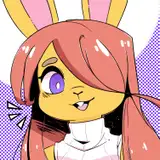
Meet the Viwi
Viwis are friendly and approachable.
Viwis are versatile creatures adapted to diverse environments, owing to their peak physique with strong legs for mountains and plains, or broader builds for water. Their shapes and colors vary, reflecting their habitat. Now urbanized, they possess rich culture and intellect.
Try the Viwi
Includes Face Tracking on PC.
Viwi Public Avatar (PC & Quest)Viwi Medium Public Avatar (PC & Quest)Visit the Viwi Avatar World!
Viwi Avatar World (PC & Quest)Get Viwi $5 cheaper on Jinxxy
The Viwi is an avatar designed for...
Customizability! (male/female, face shapes, thin/thick/smooth/muscular body options)


Cute Player-to-Player Interactions! (head pats, cheek squishing, toes etc.)


Showing off! Muscle flexing! Fluid movement! You haven't seen avatar movement this natural before, with realistic muscle anatomy.

Look at those lats moving!
Cool Clothing! Good Vibes! Put the sunglasses on and play with your friends!

Face Tracking and Gestures! Be as expressionate as you are!

Alternative color pattern! Everyone loves blue, right?

Feathers that react to your mood! Controlled by gestures and face tracking!

DISCORD SERVER (HELP & SUPPORT)
Talk about the Viwi, find assets for your avatar and get an access to the Viwi Support material.
The server is public, but the join link becomes available to every purchaser.
Do not contact me directly for help, join the Discord server for assistance.
PREREQUISITIES
The project uses Unity 2022.3.22f1
VRChat Creator CompanionlilToon ShaderVRCFuryFor face tracking, you should use
VRCFT - Jerry's TemplatesFor editing the textures you should use
Substance 3D Painter 9.1.2 or newerThe included Blender file was created using Blender 4.2.
VRCHAT FEATURES
-
PC Medium Performance Rank / Quest Very Poor Performance Rank (not with all clothing).
-
Triangle counts: Body 37k, Hair 7.6k, Toony Tail 3k, Fluffy Tail 6k.
-
Material slots: Body 3, Hair 1, Toony Tail 1, Fluffy Tail 1.
-
Expressive Gestures & Face Tracking (Unified Expressions).
-
Interactions: Body Flexing, head pats, belly rubs, nose booping, sneezing, cheek squishing, eye poking, ear pulling, thigh & butt physics, interactable toes/hair/tail/cheek fluff/feathers.
-
Natural and Fluid Avatar Body Physics: Squishy thighs, butt, dynamic arm flexing, toes, snout, ears, cheeks, cheek fluff, tail, breasts/pecs, breathing chest/belly and gaping mouth animations.
-
Extensive Customization options:
- Male / Female chest.
-
SMOOTH / RIPPED / FLAT options per body part: Belly, Back, Arms, Legs for GEOMETRY and TEXTURES.
- Toony tail / Fluffy tail with Tail Size and Curly toggles.
-
Fluff toggles: Chin, Cheeks, Body.
-
Expressive Feathers: Gestures, face tracking and toggles (included as a separate addon).
-
Body Shapes: Thin, buff, curvy, thick or anything between. A lot of tunable shapes!
-
Face shape and size options: Eyebrows, eyelashes, eye iris shape, snout length/width/size, jagged lips, teeth, fangs and more.
-
Muscle: Abs, back, thighs, calves, upper arms, lower arms, shoulders, traps, butt and more.
-
Puppet controls: Toes, tongue, jaw, tail, belly, ears.
- HUE sliders for the body, tail, hair, feathers and clothing.
-
Clothing:
- Cap & Sunglasses (grabbable, 2.8k triangles, 2 material slots)
- Hoodie / Long-Sleeved Shirt (9.2k triangles, 1 material slot)
- Crop Top (7.8k triangles, 1 material slot)
- Sporty Shorts (3.4k triangles, 1 material slot)
- Jean Shorts (3.4k triangles, 1 material slot)
- Bikini Top & Bottom (1.6k & 1.8k triangles, 1+1 material slot)
- Contact Card to put on your chest (grabbable and flippable, 1 material slot)
-
Setup Tutorials in the Discord Server.
- MMD Support.
- Ready-to-Upload Unity Package
-
Modular Avatar 3.0 Setup (with VRCFury) for the Ease of Use!
-
Organized Substance Files for making your own textures and editing the musculature.
- The default brown/orange, the blue alternative and clothing files.
You can toggle the muscle on/off where you want it: belly, back, arms, legs... And have it on all of your textures (color, normals, AO...) automatically!

TERMS OF SERVICE
Permitted Use:
-
Personal use, including customization for VTubing.
- You may sell or create textures and commissions, provided both you and the third party legally own the model.
- Public or clonable avatars can be made from this model.
- You can create and sell clothing or accessories for the avatar, as long as no assets or parts from the original product are shared. The armature is the only exception.
- Always credit the creator.
Prohibited Use:
- Commercial use of the avatar is not allowed. No commercial licenses are offered.
- Redistribution of the avatar, its components or parts of it (e.g. FBX, textures, or Substance Painter files) to third parties is forbidden, unless both parties legally own the product.
- You may not use the model in commercial products (e.g., video games, advertisements) without explicit permission from the creator.
- Do not share license keys.
- You cannot upload the avatar to an account if the account holder does not legally own it.
- Claiming the model as your own creation or removing credits is prohibited.
- Do not use the avatar for hateful or offensive projects.
Acknowledgments:
- The creator reserves the right to maintain credit in all uses of the avatar.
- You may create or sell art (e.g., drawings, fursonas, fursuits) of the avatar, as long as it’s not traced or stolen.
- These terms may change at any time without notice.
- The creator disclaims responsibility for any inappropriate or illegal use of the model.
No refunds will be issued, as this is a digital product.

I hope that you enjoy the avatar!
-Mos
Extra! Viwi reference sheets are available by Royalty. They are great for designing the coloration for your personal Viwi.

Big thanks to all helping hands!
Riry - Technical Support, Community Moderation
Royalty - Testing, Icon Graphic Design, Acting, Emotional Support
Gallius Strados - Testing, General Assistance, Community Support, Legal Help
Gab Jankums - Advertisement, Trailer Editing, Filming, Testing.
AwesomeXMaster - Testing, (Voice) Acting, Advertisement, Viwi Logo Design, Community Support
Fara - Toe Control Implementation, Testing
RedPanda - VRChat world creation, technical support
Swingly - Technical Support
MagicDead - Ear Tracking Help
Nimble Weave - Community Support
The Viwi is original and copyrighted property of Mos © 2024.
Changes:
2024-12-31 : Release of v1.0
2025-01-04: Updated Avatar Substance Painter files (v2)
2025-01-20: Release of v1.0.1.
Added an extra UV map to support UV Discard for the feet, arms, chest, belly and between legs.
- Substance Painter file (v2.1) is now approx. half the size and much more optimized compared to v1.
- Substance Painter file (v2.1) brush resizing bug is fixed.
- Substance Painter file (v2.1) body emissions are now showing and exporting correctly.
- Added two missing MMD blend shapes that were empty previously. They have the same shape keys as follows: あ = vrc.v_aa, ん = vrc.v_nn.
- Fixed MouthPressLeft and MouthPressRight blend shapes being the wrong way previosly.
- Reworked tongue physbones and blepping animations.
- Fixed contacts not moving with the snout size.
- Fixed tongue becoming malformed with short snout sizes.
- Fixed the belly rub + face tracking acting weird.
- You can now hide the cap, but leave the glasses on.
- Removed the bugged tail wiggling when sometimes giving thumbsups.
- Fixed the nose size slider looping back to zero.
- Fixed a spike in the EyeConstrictRight blend shape.
- Fixed the clipping gums when sneezing.
2025-03-08: Release of Viwi Feathers addon.
- Comes with the unitypackage and substance file.
Getting Started 💪
Click the Join Discord button!
And Please Leave a Rating!

Join Discord to gain access to the Moscle Gym Discord community, where you can find tutorials, the support forum and discussions about the Viwi!

To gain an access to the tutorials and the help channels, READ and ACCEPT the rules of the Discord server. Send the license code (below) of this purchase to the bot in the #register-product channel.
Start the registration process by opening the #register-product channel, clicking the Verify button and inputting the License key for the right product.

Find the "How to" channel and the "Getting Started" topic.

The Viwi files are behind the Downloads section on the left.
Download the .unitypackage
Install VRChat Creator Companion tool (VCC, https://vcc.docs.vrchat.com/)
Install VRCFury, lilToon to your VRChat Creator Companion
Optionally install Jerry's face tracking template
Create a new avatar project. The Unity version has to be at least 2022.3.22f1.
Open the the project
Import the .unitypackage by dragging it into the scene.
Open the "Viwi Release Scene".

For further tutorials, see the "viwi-howto" channel in Discord.
Downloads ⬇️
Viwi Files
Unity Package
ARCHIVED FILES (these are here for compatibility reasons).
Extra Assets (add these to your Viwi)
Substance 3D Painter files (9.1.2)
The Brown default Viwi.
The "blue fox" alternative.
Substance Files the Clothing.
ARCHIVED FILES (these are here for compatibility reasons).
Blender File (4.2)
ARCHIVED FILES (these are here for compatibility reasons).
Muscle Textures (these might come in handy in building the setup yourself)
Substance Painter Scene FBX file (for creating the Substance Painter Project from scratch).
![Viwi [VRChat Avatar]](https://img10.samuzai.com/storage/7/oq/kt/ee0934-019e8cb4-39f4-7d3c-b9c1-efd7851538ae.gif)