Hey guys!
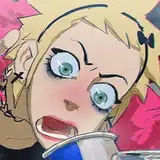
In this process video, you will see two different approaches to concept and technique, especially in how soft and hard edges can boost the realism of your shadows (using only two brushes). Let's dive in!
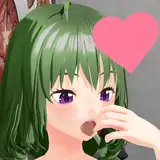
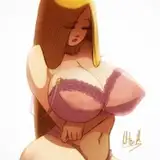
I did not start with the "hungry" idea. Instead, I chose interesting pictures to study values. Throughout the process, I thought about customizing the cloth with candy-related themes, and one thing led to another. I adapted the process into a more conceptualized approach mixed with practice.
I tend to rush towards goals I need to complete, and as a consequence, I end up facing irrelevant challenges throughout the process, things that don't necessarily need to be addressed at the beginning of the creation. It's a subtle form of self-sabotage that I frequently fall into due to my ambition. But after I relax and just start, I eventually find opportunities to incorporate subtle identity clues.
This makes me question if there is a "right" way to make art, and the older I get, the less I believe in that notion. Art is a subjective experience. There will always be technical ways to replicate reality, but the thinking process is organic sometimes very frustrating, sometimes satisfying but the point is to try.
Anatomy Building
I'm very accustomed to creating characters from scratch, not often through real pictures. After doing studies lately, I've noticed I have two different ways to do this. When characters are from imagination, I tend to start building with lots of curved lines—very messy, as if waiting to find a proper shape. However, for studies, I draw several straight lines much more quickly. I assume the latter approach is because the shape is already clear in the reference, and the thought process is to summarize what I'm looking at. As a consequence, I tend to draw more calculated lines.
Quick Tip: If you have the chance to record yourself using software like OBS, I suggest you review your process to understand how you approach a solution. You might spot insights to make your process more efficient. This is an organic process, and sometimes we don't even notice because we are too immersed in the experience.
Proportions and anatomy are not as accurate as I would like initially, but it's okay to challenge your eye, trying to replicate what you're seeing. Essentially, this is a traditional system of learning. But the difference is that I'm currently watching different sizes of the screen instead of looking at a real person and then a sketchbook/canvas. If you feel adventurous, you can also go outside and try in casual places, especially today, as it is Sunday.
Shadowing & Edges
As I mentioned in the previous post, shadowing is pretty much a combination of triangular shapes with hard edges (mostly) on a multiply layer, using only one tone. What I did not mention is that the combination between "Limberto" and "柔角 250 1" is pretty much the perfect way to smooth cloth and skin volume.
To avoid confusion, I recommend you start with Limberto, and once you've defined the overall shadow shape, select "柔角 250 1" as an eraser. What you will do is soften some edges by erasing, depending on the reference.
Also, for skin muscles, I don't use hard-edge brushes. I tend to softly suggest shadows with a brush like "柔角 250 1", and even the "Okragla textura 6" can render a more skin-like texture.
One last thing, initially I created a shadowing layer that resembled the original reference of the burger girl, which has a cold palette distribution that you can check in the PSD file. This might help you as a reference for a similar treatment of cold tones for shadowing in your studies. Feel free to do a quick check.
.
Please drop a like or a comment If you found this article useful! I would love the feedback, so I can make more content like this.
Welcome if you just joinned this tiear! Go verify your Discord and join us, I would love to see your art.
If you have any questions, feel free to DM me here or on Discord.
For more information, check out our Patreon FAQ: https://ramonn90.myportfolio.com/faq and Patreon Catalogue: https://ramonn90.myportfolio.com/work
Thank you for your support!!