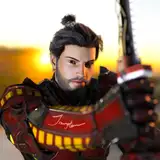
Timestamps in the youtube description along with explanations! I picked songs I thought would suit his story LMAO Songs in description of the video!
For the background, it will need a whole diff tips & tricks for that ish x_x
I will also include the explanations here ^.^
@00:00 THUMBNAIL SKETCHING
Get the shitty ideas out and determine which idea would I be invested in the long run. I chose the one with more bodyodyody because it felt less stiff and more interesting anatomically!
@00:16 CLEANING UP SKETCH
After choosing the thumbnail I liked best, I enlarge it to further sketch out. I use the lasso tool (L) the move tool (V) Click on the lines of the box , Click on the top right panel button that looks like a net (Switch between free transfer and warp modes). This allows me to to stretchy stretch the sketch around to my liking without having to redraw the whole thang. I do this to areas I am already satisfied with and sketch out areas I need fixing! Rotating the sketch and horizontally flipping it constantly to see if there's a better crop I can work with. (I made a shortcut for flipping horizontally which you can edit in Edit/Keyboard Shortcuts/ Make sure the the top says Shortcuts For: Application Menus/ Click Edit / Scroll down to Flip Horizontal/ Create a shortcut by clicking the space right to Flip Horizontal/ Click Accept/ OK!
@00:37 LINEART STARTS
I lower the opacity, then create a new layer on top to line over with a CRISP lining brush (none of that fuzzy shit) because later on it will be useful for colouring. You will see me testing out which brush allows for best fill bucket cleanliness. I'm looking to see which circle line doesn't have white gaps at the inner edges when I fill bucket colour into it multiple times. The least amount of times I need to fill bucket the crispier the brush.
@01:44 THREE QUARTER FACE ANGLE EYES
HIS right eye is much more longer than HIS left eye. HIS left eye is more rounded because the eyeball is seen at a shorten/limited view angle to create this illusion, whereas HIS right eye drags the socket to look more elongated/more of it is seen at this angle. NOSE: I make sure the nose POINTS to cover most of HIS left side. It almost reaches the end of HIS left cheek but not quite. The bridge of his nose slopes down slightly above HIS left inner eye corner. MOUTH: The points of his top lip have to align with his "nostrils". HIS left mouth corner must cut close enough to the edge of HIS left cheek but not so much. (The end should roughly align to the half of HIS left eye)
@02:05 HAIR
His hair parts in the middle so I try to mimic his fringes into a heart shape that starts at the top center of his forhead (in this angle). I make his forehead approx the same height as the distance from the top of his eyes to the bottom of his nose line. His hair droops down into a loose braid, so I add loose hair strands and try to create a lil bump where the non-braided top half sits on the start of the braid. This gives his hair that loose feeling vs a tight braid that wud hold his hair tightly at the back of his head. Braid is then made as simple diamonds cuz aint no body got time for that. @02:42 MALE TORSO Despite drawing tiddy for so long, looking up tiddie refs is always beneficial. I try to only draw some defining lines of the male torso because with this simple lineart, if I go too detailed, it will look catastrophic and grotesque. Less is more! For his abs, just think 3 seagulls flying but their wings are disconnected. Don't forget the belly button under the bottom 3rd seagull! OR Imagine one wavy scalloped line that gets disconnected with each dip! I create two other scalloped lines like this next to the center scalloped line. (Don't make the three scalloped lines identical). I am constantly using the lasso tool as explained in the CLEANING UP SKETCH STAGE.
@04:25 SNEK FREN
Adding that story telling element to his illustration! A snek fren! I try to make the snake flow around his body to fill in the negative space of the canvas. @04:38 REFINING LINE WEIGHT VARIETY Adding slightly thiccker lines in areas that look like they wud cast a shadow. I duplicate the lineart layer and slightly shift it to the left to give the overall linework THICCNESS!
@04:59 BASE TECHNIQUE
I use this technique to create base: https://www.patreon.com/posts/photosh...I use this technique to fill in the snake/simple areas that don't require much in-depth colouring: https://www.patreon.com/posts/septemb...I use a soft brush to add subtle blushy shading. For this style I wanted the lineart to speak!
@05:29 PAINT OVER LAYER
I create a layer above lineart and paint ova.
@05:54 SHADOWS
I create a new layer above the colour base layer, then create a clipping mask for that new layer. I get a slightly darker colour than what colour I'm making shadows for. I draw the edge of the shadow and connect it to the edges of where it would stop. Fill bucket with low opacity to create a glass shadow Lewk. (Make sure "All layers" box is checked off).
@06:19 BACKGROUNDS
I pray. Blobs and the further, the colder toned.
Hope this makes sense! <3
BAMBIOPUS
2021-07-02 15:54:50 +0000 UTCLilalo
2021-06-22 20:00:34 +0000 UTCsesamefruit
2021-06-22 16:29:33 +0000 UTCflava flav
2021-06-22 16:07:13 +0000 UTC