Commentary ③
Added 2024-08-28 11:06:38 +0000 UTCPrompt change
Please read it carefully, as you need to understand here.
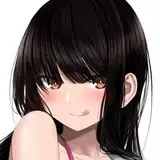
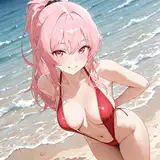
Prompt of AI illustration generated in explanation ①
{{{amazing quality, very aesthetic, high resolution}}}, {{ultra-detailed}}, {{{game cg}}}, {{{1girl, cowboy shot}}}, {{{smile, blush}}}, {{{frilled bikini}}}, {{{water gun, on night pool}}}, {{{musical notes background}}}
Add a prompt after 1Girl in this.
Use fictitious characters and fictional works for the explanation.
Fictional character name: kurobane yuka
Fictional work name: love garden!
kurobane is family name.
yuka is first name.
Change the prompt.
Add name and work after 1GIRL IS.
In Novelai, the prompt is separated by ",".
, After, put space.
{{{1girl is kurobane yuuka, love garden!, cowboy shot}}}
This is basically the only change.
If it is difficult with the name alone, write the hair colored hairstyle, the color of the eyes, and other characteristics.
Suppose Yuka Kuroba is blue eyes with black long hair ponytail.
{{{1girl is kurobane yuuka, love garden!, black long hair, ponytail, blue eyes, cowboy shot}}}
The whole prompt is as follows.
{{{amazing quality, very aesthetic, high resolution}}}, {{ultra-detailed}}, {{{game cg}}}, {{{1girl is kurobane yuuka, love garden!, black long hair, ponytail, blue eyes, cowboy shot}}}, {{{smile, blush}}}, {{{frilled bikini}}}, {{{water gun, on night pool}}}, {{{musical notes background}}}
Yuka Kuroba is a fictional character, so it doesn't make sense.
This time, as a reference for everyone to enjoy, I will use Love Live Honoka Takasaka as an example.
Novelai has a function to predict input candidate.
Let's use this.
Put "," and "half -width space" at the back of the prompt.
After that, if you hit kousaka as shown in the first image, the input candidate forecast will be displayed.

The white one in this is a high understanding of Novelai.
The thinner the white, the lower the understanding.
Select the first predicted "KOUSAKA HONOKA" in the first image.
Next, after Kousaka Honoka, put [, ”and“ half -width space ”and hit love.
Then, the input candidate prediction is displayed as shown in the second image.

For the second image candidate forecast for the second image, select the first predicted "Love Live!"
Copy and paste "kousaka honoka, love live!" And hits "half -width space", "is" and "half -width space" after the 1girl of the prompt and copy and paste.
Delete the original input candidate forecast behind the prompt.
And let's generate.
The prompt should be as follows.
{{{amazing quality, very aesthetic, high resolution}}}, {{ultra-detailed}}, {{{game cg}}}, {{{1girl is kousaka honoka, love live!, cowboy shot}}}, {{{smile, blush}}}, {{{frilled bikini}}}, {{{water gun, on night pool}}}, {{{musical notes background}}}
The prompt I publish is like {{{1girl, cowboy shot}}}.
The cowboy shot part may be different from upper body, but don't worry.
The important thing is to set 1girl to 1girl is and then put in the character and work name.
Novelai also has a information sharing (wiki) site.
It will be very helpful, so please search.
Please refer to the "V3" prompt when referring to.
Novelai's version is V3 what you use.
Even if you write various things at the prompt, only the character name and the name of the work are used.
If it is difficult, add hair -colored hairstyles, pupil colors, and other features.
If it is still difficult, think it is impossible.
* Please think that it does not support my prompt copy and paste. You can do it if you devise a prompt, but it is not possible to respond individually.
If you learn this change procedure, change the prompt to be published and enjoy the AI illustration generation.
When someone asked about the AI illustration, I learned how to use Novelai in Patreon of Love Garden! I would be glad if you could advertise it ♡
If you can write, please use the expression "how to use Novelai".
I have a request.
Although it is an AI illustration that is said to be various, I think it is a really fun tool for individuals to enjoy.
As you enjoy the AI illustration from now on, you will want someone to see it.
I was so.
When the AI illustration is published in X etc., I would be glad if you could specify that it was AI illustration.