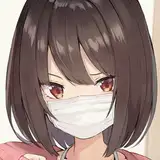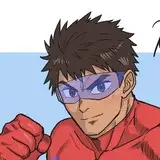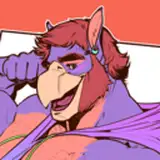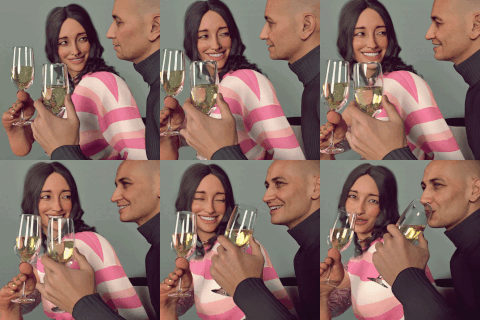
This post is my answer to the most common question I get, "How do you make the AI look so good / do what you want / make AI characters so consistent?"
The following is a brief guide for each workflow:
Workflow One:
1. Draw
2. Rough color
3. Send to img2img and generate using a moderate denoise (0.4-0.6).
4. Redraw anomalies (hands and limbs usually)
5. Send to img2img-inpaint and generate using a low denoise (0.3-0.5)
6. Done!
(Admittedly, I rarely find myself having to use Workflow One now that I've gotten proficient with Workflow Two. However, there's probably one or two panels out of every 10 pages in a chapter that I still have to draw a significant amount of in order to have AI work correctly.)
Workflow Two:
1. Speed paint / color block out
2. Send to img2img and generate a bunch of images using a high denoise (0.5-0.8).
3. Review each generated image and select the ones that have features that you like/are consistent with your character.
4. Photobash/stitch all the good features together (does not have to be a good stitch, just put the pieces where you want them and don't worry much about stitch lines)
5. Send the photobashed image into img2img and, depending on how well you did the photobash, generate using a low to high denoise (0.3-0.7).
6. Redraw anomalies (faces, eyes, and hands usually)
7. Send to img2img-inpaint and generate using a low denoise (0.3-0.5)
8. Done!
Workflow Three (unshown):
This involves taking pictures of posable figures (you know the wood ones) and having a pre-processor extract the pose data (openpose). However, I suck at making this work, and at best it only gives similar results to Workflow Two, so I no longer use this.
Workflow Four (unshown):
This involves creating a 3D scene in Blender, extracting the Z data (depth map), and using control-nets to have AI 'render' the scene. I'm still learning how to use this correctly (since I suck at Blender), but I'm also having trouble thinking of situations where it would be faster than Workflow One and Two. However, I still want to learn it so I have yet another tool in my belt to create my stories faster.
My philosophy on AI tools:
I did illustration for a number of years and initially hated that AI started taking over the space. Then I had the realization that I had simply become lost and was letting other people dictate my thoughts. I would bet that most artists, myself included, started making art simply to show people what was in our imagination. And then suddenly a tool comes along that can make that happen so much faster. That perfectly aligns with the reason I started making art in the first place. So, what actual reason do I have to hate on it? Thus, I started to embrace the new AI tools. With only a bit of guidance, it can create artworks that simply outclass what I can do, while taking a fraction of the time. And, after learning it's capabilities; it even enabled me to craft full and complete stories in a reasonable time. And in the future, I feel that the AI tools will only get better, and world will inevitably embrace these AI tools as they have others. So, it is best to learn them now rather than be left in the dust.
_____
And if you're wondering where the art comes from, then consider supporting me on Patreon or SubscribeStar to read my doujin chapter "Crossing the Line" as well as unlock all other content I have created and early access to anything new!
_____
PS: This post was created on 2025 Feb 23. It was backdated to the start so as to reduce the clutter on the feed.