DOWNLOAD ASSETTO CORSA UNREAL ENGINE 4 FILTER
Added 2022-05-19 18:25:23 +0000 UTC
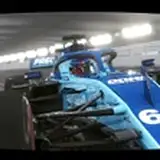
Hello friends, today I bring you a new reshade for Assetto Corsa with a lighting filter from Unreal Engine 4. The PPFilter used is real snowu, everything you need will be in the description.
Download Cars: https://sharemods.com/0d5kkymg613c/cars.rar.html
Youtube Video: https://youtu.be/2ZRIaKlasjQ
DOWNLOAD PPFILTER: https://www.racedepartment.com/downloads/snoowus-real-ppfilters.46445/
Program: https://reshade.me/
How to install reshade correctly: https://sharemods.com/p28i6z9fsxgz/how_to_install_reshade_correctly.rar.html
TUTORIAL BEST GRAPHICS ASSETTO CORSA: https://www.youtube.com/watch?v=8HuHuXNf69Q&ab_channel=SIMTRIBE
Sol: https://www.racedepartment.com/downloads/sol.24914/
CSP: https://www.patreon.com/x4fab/posts
My new settings Custom shades patch: https://acstuff.ru/s/LXCH4M
My new settings video: https://acstuff.ru/s/u8E69F
Comments
You're welcome friend, thanks to you for supporting my work. enjoy it
2022-05-24 02:40:00 +0000 UTCThank you very much my friend! I have it all setup now and I AM LOVING IT thank you!~!!!!!!!
2022-05-24 02:34:44 +0000 UTCok the on off button inside the game open reshade with the start key and go to the settings tab and in the second row place the key you want to activate and deactivate. and secondly, you have to enter the ppfilter manually in assetto corsa, go to the system/cfg/ppfilters folder and drop it, then inside the game select it in post-processing filters and you would have it
2022-05-24 02:20:05 +0000 UTCAlso how do I install the PPFilter ? I have attempted to drop it into content manager, but it did not install anything. ?
2022-05-24 02:15:29 +0000 UTCTHANK YOU, you are truly awesome my friend! Just have a last question. How do I set a key button to turn on and off the reshade like your videos?
2022-05-24 02:13:14 +0000 UTChttps://sharemods.com/4wrevuqwy3qj/screenshots_reshade_install.rar.html
2022-05-24 01:46:39 +0000 UTCHello friend, nothing happens, it is normal the first time it is somewhat confusing. you have to install all the filters and select the assetto corsa x64 icon you will see that on the 3 reshade installation screen it tells you below if you want to apply an .ini file select mine and in theory you would already have it, also here you have some screenshots screen
2022-05-24 01:44:04 +0000 UTCIve attempted to uncheck off all effects and leave only the "standard effects" i still do not get the prompt to edit the reshader settings. ? I have followed the instructions. I just do not get the prompt to edit the reshader settings at the end ? Sorry to be that guy.. lol. Just need a bit of help. Thanks
2022-05-24 00:51:04 +0000 UTCHello! New here. So I just attempted to install this to my Assetto Corsa and when I go to upload the reshade me filters (all) it does not prompt me to edit the reshader settings. it just says "successfully installed reshade click finish button to exit the setup tool. How do i go into edit the settings in order to upload your INI doc you provided ?
2022-05-24 00:34:27 +0000 UTCthank you friend for supporting and enjoying my work
2022-05-20 01:47:54 +0000 UTCLove it thanks my friend!!
ATR Camtool
2022-05-20 00:17:50 +0000 UTC