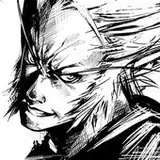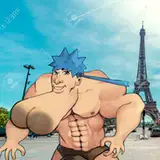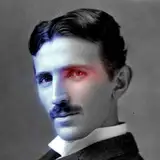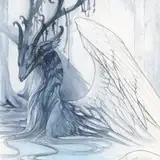
In the Enhanced Edition I'm also trying to just how far you can push the upscale. As soon as it hits anything close to 4000 then everything goes all blocky, so somewhere more around 3k is probably the maximum at the moment.
This version is somewhat experimental, but my eyes eventually just start seeing lines everywhere 0_0
The different types of noise also seem to have an impact on the stripes, with pyramid noise getting rid of most of them... also leaving some colourful noise in background. Upscaling models can remove some of this unwanted noise, though many also smooth things out a bit too much. Works better on photographic style vs flat / cartoon styles, which may work better with pyramid or gaussian.
Also included is the usual LLM party for LLM enhanced prompting. As it happens, ollama is a great way to try the new, tiny Llama 3.2 models too!
See https://www.patreon.com/posts/ai-enhanced-flux-109665789 for more info on LLM enhanced prompts.
This seems like a workflow I could tweak forever, but it's already late and it's a good 90% of the way there. Do let me know what you find works best / worst.
I'm not 100% sure lines can really be properly eliminated, but I'm gonna keep tweaking anyway!
Example completed workflow screenshot:

Example 3k output:

Impact Pack = ID 2
WAS Node Suite = ID 25
Extra Models for ComfyUI = ID 53
ComfyUI-GGUF = ID 54
ComfyUI_SUNoise = ID 70
UltimateSDUpscale = ID 71
Comfyroll Studio = ID 81
rgthree's ComfyUI Nodes = 175
ComfyUI Extra Samplers = ID 241
Use Everywhere (UE Nodes) = ID 247
KJNodes for ComfyUI = ID 252
ComfyUI-ppm = ID 889
comfyui_LLM_party = ID 905
AuraSR-ComfyUI = ID 1104
Flux = https://huggingface.co/black-forest-labs/FLUX.1-dev
CLIP = https://huggingface.co/zer0int/CLIP-GmP-ViT-L-14
Shakker Labs = https://huggingface.co/Shakker-Labs
Hyper-SD = https://huggingface.co/ByteDance/Hyper-SD
AuraSR = https://huggingface.co/fal/AuraSR-v2
Upscalers = https://openmodeldb.info/
Attached a new version (v15), which seems to give the lowest level of banding yet! Just for giggles I switched the high/low sigmas and that seemed to help. Up at 3k+ there was still banding without using something from the "extra samplers" pack, even if a little slower. This time, photos don't need the anti-blur lora to help get rid of stripes either!
I'm still testing different styles, but they seem OK too so far.
Example completed workflow screenshot:

Example 3k output:

Fran Catalan
2024-11-18 15:08:33 +0000 UTCSouthbayJay
2024-09-30 19:45:23 +0000 UTCNerdy Rodent
2024-09-30 17:45:50 +0000 UTCNerdy Rodent
2024-09-30 17:43:50 +0000 UTCstefan sotra
2024-09-30 11:24:43 +0000 UTCTrevor Baxter
2024-09-30 10:42:02 +0000 UTC