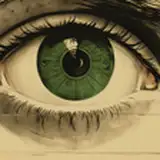
Just wanted to show off a quick before-and-after of some of the visual effects I'm using in this video! The world of The Witcher is very grey and grim, so the first thing I did was add an Adjustment Layer in Premiere Pro to pull down shadows and highlights, cool down the image temperature, and desaturate everything. Then I masked some color adjustments onto just the iris, and keyframed that mask to move with the video. Finally, I added a dust particles overlay to add to the mysticism and help make the printed backdrop feel more "alive."
Ginny Di
2020-01-26 05:08:47 +0000 UTCDerek Richardson
2020-01-26 04:16:25 +0000 UTCBJ Whimpey
2020-01-26 01:08:23 +0000 UTC