What's up everyone?
How's your holidays going? I hope all is well and you're having a lot of fun!
So... It's been some time since I made development update, in fact this one's a long time coming. I planed to do it a week ago, but with christmas and the holidays I ended up getting a little too busy.
Anyway, here we are!
The Inn's reworking is coming along smoothly and steady. So far, everything I was sucessful in everything I set up to do on it.
As you may have noticed, I recently put up a Development Tracker on the main page (which should be updated, now that I think about it), and it shows basically everything I need to do for this rework, if you haven't seen it yet, be sure to check it out, it's just up there.
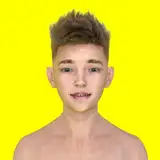
One of the main new features in this update is the new animated sprite system for some of the scenes. This new feature will take place on minor conversations and general scenes. Big, important sequences and the "important" stuff will still be on the good ol' full sized image format.
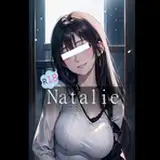
Above this, as the cover for this post you can see the entire Day 2 of The Inn using the new sprite system. I gotta say, even though I still see room for improvement, I'm quite satisfied with it so far.
As you can see, the transitions are smooth, the animations play fine and the whole dialogue still conveys all the necessary emotions the old system did (which was the main worry of some players when I announced I would start working with sprites).
Now, the sprites aren't the only thing I want to show you today, there's two more...
One of them is this:
Reworked Galleries Preview (Youtube Video)
The reworked galleries!
They now have a much smoother transition and are a lot easier to use. I ditched the page system (which was clumsy and wonky as hell) in place of a scrollable window that will show every Picture/Scene at once.
This new system can be used either with the mouse wheel, the keyboard arrow keys, dragging it up and down and using the scrollbar at the side.
One new change is that the pictures in portrait orientation, that once were "fit" into landscape mode, are now displayed in full and can be scrolled up and down so you can see everything in detail!
I'm still trying to figure a way to make a zoom button for it though, let's see how that goes...
Also, the music gallery was also reworked, it now features icons instead of the music names and, as you hover over those icons, the track name is shown up there.
Those are just some nice little touches I felt compelled to make, I hope you guys enjoy them!
And so, here's the last thing I want to show you guys, and let me say, I'm pretty excited about this one...
Phone UI and SMS System (Youtube Video)
The new Phone UI and SMS system!
Thanks to Yc3k, the dev from The Senior, who was kind enough to let me study his code and expand on it (seriously though, if you don't know his project yet, go and check it out, it's awesome), I was able to make a neat Phone UI that (I think) will be able to handle most of the new UI elements I'm going to introduce on this rework.
On the demonstration video you can see the SMS system working with clickable images and all.
I, myself, am really amazed by it.
Aside from that, there were some minor adjustments like a revamped Save/Load screen, a new system for the rolling credits at the end, and new, animated buttons for the choices menus (which you can see in the Day 2 sprites demo).
Well... This became a huge wall of text, huh?
Anyway, this will give you guys a good taste of what's to come once the rework is released (which I hope doesn't take long).
All in all, I'll be seeing everyone around!
Happy holidays and have a good one!
PS: It seems the embeding of youtube videos doesn't work as I thought it would... HTML 1 x 0 Lykanz.
Lykanz
2018-12-27 12:57:05 +0000 UTCPsychIntent Games
2018-12-27 08:22:20 +0000 UTCLykanz
2018-12-27 02:16:34 +0000 UTC