Project D.Va: 1st Mission
Added 2018-03-02 01:04:18 +0000 UTCFlooded City
GET READY
...No actual flooding here, just dumb in-jokes.
Context: The Story of a Stubborn Gamer Girl
Anyway, let's get started, shall we? Today, I'm gonna lay out the initial game plan. It might help a little bit if I provide you a little bit of context without spoiling too much:

Sorry about the shitty photo/art and all, but that's the first page of my storyboard for this animation and some sketching. The storyboard's been done for a little while, but I didn't wanna go too deep into the plot details for now. That's why I'm only posting page 1 for the time being. It's just enough to show off some important model-related details as well as the setting (presumably D.Va's living room, sitting on her couch playing video games).
I will say this much though: D.Va fights a "battle" against extremely strong experimental bubble gum while fighting an opponent online in a video game. Well, as long as she can anyway. That's what the big rectangular "Pneumatix" design is, hamfisted visual metaphor and all. The other thing I'll let you in on is that Mercy shows up later in the animation, since I've gotta mention it for the purposes of this post anyway. More on that in a moment.
D.Va's Model
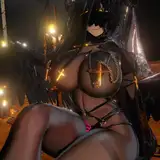
Let's get to the goods! Here's my scene so far:


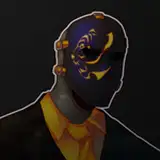
So your first question is probably "Why does D.Va look like she joined Slipknot or Gnarkill or something?" The answer's a little technical, so I won't go too in-depth. The ELI5 version is that the black lines (except the sphere thing in her belly) are bones that let you deform the model like a puppet, letting you animate much more easily. This includes the ones sticking out of her face. The pale skin is just a matter of lighting, and this not being the rendered image. I added some warmer lighting and did a quick render of her face for comparison. Sorry about the little white outlines, those are a rendering issue I can fix later, but for the purposes of this image they're not a big deal.

All this doesn't seem like much, but what's important to note is that I spent a good 3-4 hours setting up two different models of D.Va I found online, only to have them be fundamentally broken. First one had awful SFM-made facial expressions embedded as shape keys (I'll get to what those are in a second) that looked like something you'd only see in wacky Garry's Mod animations, and the author stripped the model of its built-in facial bones. Second one seemed all fine and dandy, then whoops, looks like all the facial bones are screwed up, and every single one drags half of her face around. Want to raise her eyebrow? Too bad, you're dragging her entire nose with it. In a very glitchy, unnatural way too. Third time was a charm (I tested it, don't worry), and the result is this. Already had materials set up and everything, so I didn't have to do half the work I did to get the other two monstrosities set up. What a hassle!
Deformation
Now here's the good shit. In addition to the aforementioned bones, there's another main way to deform a 3D model. They have a lot of names in different software, but Blender calls them Shape Keys. Source Filmmaker calls them Flexes. I'm going to be using the former term since I use Blender. Either way, they're simpler than bones by a long shot. The basic idea is that you make a shape key, select it, and then deform the model as you please using Blender's editing tools. This saves an alternate version of the model's shape into the key, which appears as a slider and value (1.0 by default). Changing this slider takes the parts of the model you changed and slides them between their normal state and the state contained in the key. 1.0 means that the model is in its deformed state. 0.5 is exactly halfway between the deformed and normal state. 0.0 leaves the model in its default state, i.e. it's like the shape key doesn't exist.

For this model of D.Va, I've currently only made one shape key. Basis is the model's default state. For comparison, I made 17 of them for Li-Ming in my previous video, plus a couple of corresponding keys on her belt to make sure it didn't clip into her belly before bursting off. The single key for D.Va is saved from the results of a cast modifier, which is basically a lazy bulge-out effect. I used this for Queen of Pain's belly in Queen of Pump, but counter to what you might be thinking, I didn't use it at all in any of the other animations except for the Lina test video.
So why did I go for it here? Two reasons. Reason one, I want to make this animation a little more belly-centric and stuffing-like in the early parts. Almost like she's pregnant. I messed around with a little technique a while back to really give off the feeling that something is forcibly growing inside of her belly and pushing it out. Unfortunately, it was on one of the busted models, so I ended up overwriting it with some weight gain for shits and giggles. On the bright side, I will be re-creating it in this animation, so hold onto your butts.

Reason two is that D.Va's in a jumpsuit. Skintight outfits and bare skin are easier to inflate than more elaborate or bulky outfits, especially ones with hanging parts like skirts and dresses. As you can see, it looks much, much more natural for the outfit to distort around the figure, since it basically is the figure. Bulge it outward for a nice, perfectly smooth and round belly. This might seem a bit lazy, and it is to an extent. On the bright side, this means I can spend less time on annoying technical details and more on the interesting stuff. Like bloating D.Va up in a visually appealing way.
All that said, eventually the character model gets big enough that you have to mess with their proportions for it to not look like awful, glitchy garbage. This usually means moving and scaling bones in the model so that joints like the hips and shoulders reside on the outer surface of the much-bigger body, and also don't look disproportionately skinny, blending into the body in a more natural way. This also helps with effects like sinking the inflatee's head into their body, or making their body seem to overtake their arms and legs. Plus, it's also great for mini-giantess effects if you want to incorporate that as well, inflation or not. Keep in mind that normal model animations almost exclusively use rotation only, leaving movement and possibly scaling to the root bone only, i.e. the one that controls the whole model, but for our purposes, we can be a little more "versatile" with them. ;)
The To-Do List
So what's next? A couple of important set-up steps before we get too deep into plotting out the whole animation.
The first is that I need to find a good model of Mercy and import her into the scene. She comes in about halfway through, but I like to plot out animations in jerky, slideshow-like style, so I'll be needing her right off the bat. Thankfully, Overwatch is a very popular game, so this shouldn't be too bad, especially since I know what to look for in a good, useable model after my troubles with D.Va.
The second is making a few placeholder models. Namely, the pack of gum, the gum that D.Va's chewing, the TV/stand, the controller, and the couch. None of these are as bad as they seem, as they are mostly-static objects that can be detailed further later. The pack of gum especially can be rendered as nothing but a couple of nested boxes until much later. The most elaborate placeholder stuff should be the gum being chewed and the couch, and even those aren't too bad.
The third is getting voice lines ready for insertion into the animation. Unlike my previous animations where the dialogue was a bit ad-libbed, the dialogue in this needs to be a little more specific and timed/paced appropriately, so they will be added early on instead of later into the process like I usually do. I can also do some minor sentence mixing if need be. Thankfully, there are really good resources for this. Sounds of Overwatch (http://bingur.github.io/sounds-of-overwatch/) has all the OW-specific voicework you could ever need. Sounds of the Storm (http://rpboyer15.github.io/sounds-of-the-storm/) is the same concept, but for Heroes of the Storm. Conveniently, D.Va appears in both games and has a completely new set of lines in HotS. I used the latter resource for Li-Ming, by the way. Anyway, this all means that I have to listen through 20-40 minutes of dialogue and take notes on good lines to use. It's worth it though, as I did that for Li-Ming as well!
After we get those things out of the way, the animation itself can begin! Hooray! I'll be sure to keep you guys updated now and then, but for now, I got my work cut out for me! Let's go!
Thanks for your support as always! Until next time, see ya brobobots!