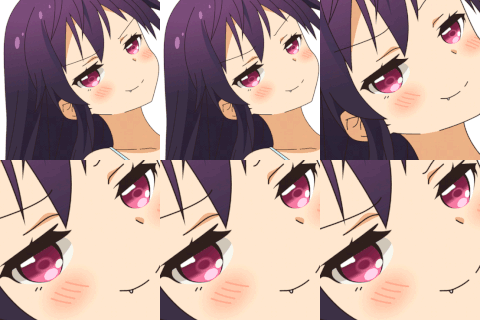
Another story about how laziness can lead to progress. Today, I will tell you about how the process of working with art has been simplified and accelerated. I will talk about how often I had to look at ugly pieces of art, how important negative prompts are, and how to create good art on the first try. I will start by telling you about my experience with creating AI art and the mistakes I made. You might think that everything would be very simple – you press a button and the neural network does exactly what you want. However, there is no escaping mathematics and algorithms. This is not magic; it is the generation of images based on checkpoints, prompts, negative prompts, samplers, resolution, and more.
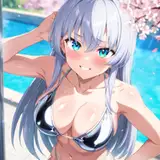
The impact of prompts or tokens. Choose your prompts carefully, as the neural network cannot guess what you are asking it to do. It is also common for one prompt to affect not just what you want it to affect. A clear example of this is prompt "bikini". When the background changes to a beach, sea, or rocks, as the neural network has often seen girls in bikinis on the beach. This means that if there is a bikini in the image, there should also be a beach.
Prompts: illustration, cartoon, soothing tones, calm colors, flirting with camera, bikini, bob hair, smile, shy,
Negative prompt: earrings, [deformed | disfigured], poorly drawn, [bad : wrong] anatomy, [extra | missing | floating | disconnected] limb, (mutated hands and fingers), blurry,

Another important factor is the resolution. I reiterate that SD 1.5 was trained on images with a resolution of 512x512, and it produces the best results mathematically at this resolution. However, what happens if you change this? What if you want a larger image?
Size: 904x512

2 Amy?! That's even better... Because the width has increased, there is more space and the tokens haven't changed. The neural network, when reading the tokens, understands that an Amy should be there and fills in the blank parts, adding two Amy, simply because they fit. Let's not make the image wide, let's make it tall, will that be okay?
Size: 512x1280

It turns out that the same thing happens. This problem can't be solved normally, it can only be outwitted.
Size: 1920x1080

4 Amy?! What could be better? This is why it's impossible to generate images with 1920 x 1080 and 1 character. The permission and the prompta have been sorted out. I'm using the DPM++ 2M Karras sampler, which is well-suited for my purposes. I've also used three-stage Amy generation. The first step will be to create a realistic image for further processing.

Here is the result of the generation using Euler a sampler. The image turned out to be soapier and the face in the final steps was greatly distorted.
Prompts: flirting with camera, standing, bob hair, smile, shy, (natural skin texture, hyperrealism, soft light, sharp)
Negative prompt: (cgi:0.9), earrings, [deformed | disfigured], poorly drawn, [bad : wrong] anatomy, [extra | missing | floating | disconnected] limb, (mutated hands and fingers), blurry, 3d, illustration, cartoon, (doll:0.9)
Size: 512x904

Here is a generation using DPM++ 2M Karras. A lot more details and a very good-looking face for such a resolution. Next, we need to apply style. If we apply styling initially, we won't get the body anatomy we need.
Prompts: illustration, cartoon, soothing tones, calm colors, flirting with camera, standing, bob hair, smile, shy, indoor
Negative prompt: earrings, [deformed | disfigured], poorly drawn, [bad : wrong] anatomy, [extra | missing | floating | disconnected] limb, (mutated hands and fingers), blurry

The face is too stylized and disproportionately large.
illustration, cartoon, soothing tones, calm colors, flirting with camera, standing, bob hair, smile, shy
Negative prompt: earrings, [deformed | disfigured], poorly drawn, [bad : wrong] anatomy, [extra | missing | floating | disconnected] limb, (mutated hands and fingers), blurry

We stylized the image, but the face still looks poorly drawn. For this, we used inpainting. We selected only the face and generated it at a resolution of 800 x 800.
Size: 800x800

Great! The art is ready. But is it possible to reduce the number of steps? Of course it is! I present you with the add-on "AddDetailer". After generating the image, it automatically detects the face and generates it separately, just like we did with inpainting!

Here we have a realistic image and the add-on has generated a face at 800 x 800 resolution. Now we need to add style.

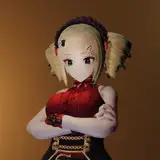
Art is ready! All we need to do is follow these two simple steps to create beautiful art with Amy. But we all want to press a button and have everything work the way we want it, right?
To do this, we need to adjust the prompt so that the style doesn't completely change everything. We'll remove the weights from the tokens and lower their priority, so they'll have less influence on the generation. We'll also add a realistic prompt and place it in front of other prompts, so it has a strong influence on the final result.
Prompts: realistic, (illustration:0.1), ( cartoon:0.1), soothing tones, calm colors, flirting with camera, standing, bob hair, smile, shy, indoor
Negative prompt: earrings, [deformed | disfigured], poorly drawn, [bad : wrong] anatomy, [extra | missing | floating | disconnected] limb, (mutated hands and fingers), blurry
Steps: 22, Sampler: DPM++ 2M Karras, CFG scale: 7, Seed: 3899347687, Size: 512x904, ADetailer model: face_yolov8s.pt, ADetailer denoising strength: 0.28, ADetailer inpaint width: 800, ADetailer inpaint height: 800

Boom! With just a one step, you'll have amazing art at your fingertips.
jedi Mosiah
2024-04-28 19:17:36 +0000 UTC