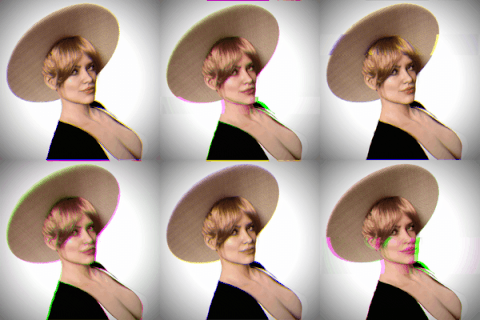
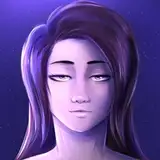
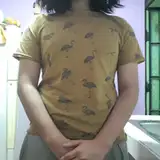
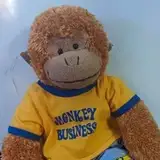
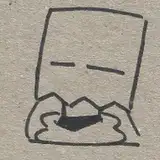
Template Images and files
Added 2020-12-21 21:03:35 +0000 UTC
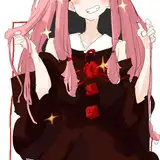
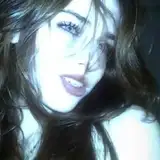
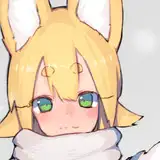
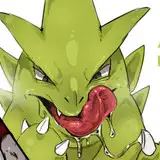
Here are template images from the "Blender Complete Character Tutorial - Part 1"
Other templates and the finished Blender file from the end of the 1st tutorial are in the link below.
https://drive.google.com/drive/folders/1RNK8XtSLLx...
Happy modeling!
I meant, how do I stream the mocap the ipad is capturing for my face and then stream that to the model in blender?
Kelly Johnson
2023-05-28 16:10:18 +0000 UTC
I don't. It's all by hand in blender. If you mean the arkit shapekeys, i did it in unreal. I used arkit for unreal and an iPhone 12
TomCAT - Character Art Tutorials
2023-05-28 15:17:49 +0000 UTC
Tomcat, what app do you use on your ipad or iphone to get the facial mocap to your model in blender?
Kelly Johnson
2023-05-28 15:10:57 +0000 UTC
Check YT. got an answer there. If you get stuck, let me know.
TomCAT - Character Art Tutorials
2023-05-28 02:56:13 +0000 UTC
There absolutely can be. Here's a 40% discount. 090D0C97AF32
TomCAT - Character Art Tutorials
2023-05-28 02:55:32 +0000 UTC
And Tomcat, is there a discount for your patreon supporters that want to buy your models on Cgtrader?
Kelly Johnson
2023-05-28 02:42:15 +0000 UTC
Tomcat, how do I turn Tia's hair to platinum blonde?
Kelly Johnson
2023-05-28 02:37:57 +0000 UTC
Enjoy!
TomCAT - Character Art Tutorials
2023-01-17 04:48:17 +0000 UTC
Hanging here for a while as a thank you for the tutorials. Thanks..
BB
2023-01-14 18:16:29 +0000 UTC
Patreon isn't notifying me about replies, it looks like. I think I'm jumping working on head modelling before I have enough skill. But, I'll just continue doing this, along with other studying.
I experienced making duplicate vertices constantly and creating triangles and how to get rid of those, in the process of following your tutorial. I think I'm still getting used to positioning vertices in 3d space. I still stare at the model and am confused by what I see. Maybe the improvement is me associating what I see with the actual position of vertices in 3d space.
How would I get a blend file to you?
Kenned Doll
2021-01-19 15:08:49 +0000 UTC
Cheers, Tavis
TomCAT - Character Art Tutorials
2021-01-18 18:51:23 +0000 UTC
You could start the eye sockets with the circle command and teak it. Not a bad idea actually.
When you get to rigging and animating your face you'll see little ways to make your mesh move and stretch nicer and it will lead to a better way to make your mesh. It just takes time.
If you want, I can look at your blender file or screen grabs of your model and provide feedback. Either way keep it up!
TomCAT - Character Art Tutorials
2021-01-18 18:51:15 +0000 UTC
I like don't like having deal with the poles from a uv sphere. Either work fine but it's just a little easier for me.
TomCAT - Character Art Tutorials
2021-01-18 18:46:50 +0000 UTC
Hi Kenned, 6th run through! Nice dedication. You'll get it down for sure.
TomCAT - Character Art Tutorials
2021-01-18 18:44:02 +0000 UTC
Hi. I'm on maybe 6th time going through part 1. I get a little farther each time, before making a broken mess. So far things are working on this pass.
I was wondering why you start with a round cube, instead of a UV sphere? I have a spent a few minutes starting that way, it seems to be fitting well, so far. Also, I was watching a video about rerouting loops and I wonder if it would work well to have a circle using loop tools, for the eye sockets.
Anyway, I don't know how to describe most of the problems I'm having and don't know what is improving. I guess it is just practice.
Kenned Doll
2021-01-17 21:11:47 +0000 UTC