SamuZai
chrissabug
chrissabug

patreon


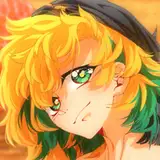
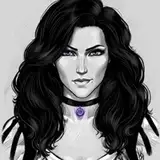
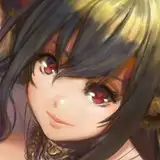
Lumeree DTIYS//Timelapse Video

Here is a full Time-lapse Video w/music for the  piece: Lumeree DTIYS 

My feelings for this piece kind of morphed as I worked on it.  Initially it was supposed to be a simple dtiys that I started on stream that wouldn't take too long.  And it was simple, but I think I got a little too caught up in rendering some aspects of it and messing with colors.  I think a bit of burnout also hit me a bit in the middle of working on this piece.  

Part of me is wondering if I might want to take a little break from messing around with lighting and shading for a little while. For those of you who have been around a while, you know I tend to go in waves of doing more rendered art and then less rendered art.  After this piece I am once again feeling that pull towards lineart and the watercolor look.  We'll see.  Like I always say, it is nice to mix it up every once and a while, it also helps build skills in multiple areas.

There are things I still like about this piece and I especially like watching early on in the timelapse how the rough sketch and lineart comes together.  And despite my complaining about overrendering and lighting, I actually do feel like I learned a bit more about rendering a face that's in shadow, even if it isn't perfect!  So that's great!!


News

Lumeree DTIYS//Timelapse Video

Comments

I haven't made a full post on it but every once and a while this question comes up so maybe I should! haha Anyway, no matter what, there is probably going to be some quality loss when you upload to instagram but to help reduce that loss here are my general practices, When it comes to posting images, I make sure to never EVER 'zoom' or 'crop' an image within an app like instagram. That will usually degrade the quality, even if your image is large. If I need to make a close up image, then I crop it in either my art software or even on my phone before loading up the instagram app. When it comes to sizing, you can try to make sure your size is at least 1080x1080, or even double that (2160x2160), since 1080x1080 is instagram's native resolution. But if your image is way bigger then that like 5000x5000 it won't necessarily make it crisper within the app when you post it. In fact, it may even muddy up the pixels because instagram will automatically size it down and interpolate the pixels itself. It is safer to save out the 2160x2160 version of the image in a program like, photoshop, procreate or clip studio. And of course make sure you are working on at least 300 or DPI when you draw and paint. Hopefully that is some info that helps out a bit.

ChrissaBug

Hello! Have you ever talked about how you go about uploading your art to Instagram? I have started one recently just to track my progress in an easy-to-access place but I am having some issues with the quality not being retained. I have looked up some things online and tried downsizing the image but to not much effect. Thank you!


More Creators