SamuZai
lotusbubble
lotusbubble

patreon


Rim Light & Glow Tutorial

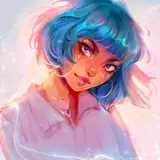
Yay!! Happy to announce that the tutorial on rim light and glow is live and ready for your viewing enjoyment! :) Once again this is a private YouTube link that only you guys can see.

In this tutorial I talk about a few techniques and tricks I use to create a glow effect when I work with rim lighting. I don't stop at just drawing the rim lighting, there's a special trick with the layers & editing that I do as well to create that magical glow. I also talk about certain brushes I use! I hope that it is useful for you in your own artistic journey :)

This is also my very first tutorial where I talk! And I am a very silly llama, so bear with me lol :D

Disclaimer:  Excuse the 2 texts that you see from my sister during the video, we were talking about an actor aaaand she texted me while I was recording! Oh well :)

Happy arting! ~

Rim Light & Glow Tutorial

Comments

This was so helpful thank you so much for making this tutorial

Dina Ashraf

Great Tutorial, I now just need to find something I can use this one on๐Ÿ’–. Just your voice was a bit quiet.

AmyJosi

Iโ€™m so glad you enjoyed it!! ๐Ÿ’–๐Ÿ˜Œ I absolutely recommend the mint color, especially with a pinkish red to contrast it ๐Ÿค— it would look super cool in your work! And yes, I totally recommend Procreate! Personally I find it super easy to work with and it just feels much more intuitive than Photoshop in my opinion hehe ๐Ÿ˜… I do all my work on there and itโ€™s been worth the investment! AND THANK YOU SO MUCH ๐Ÿ˜„๐Ÿ’–๐Ÿ’–

Lydia Elaine

ABSOLUTELY GORGEOUS OMG!!! I enjoyed this a lot! I think I've never used a mint color in my compositions and this makes me eager to try it! :D Thank you so much! And uh can I ask you if you recommend Procreate? I don't have an iPad and I do not know if it's worth making that investment! Sorry if you have had this question again :,( And By the way I LOVE your voice!

Kalisdice

Iโ€™m so glad you found it helpful!! And of course ๐Ÿ˜Œ Iโ€™ll message you the size when I can check after work today! ๐Ÿค—

Lydia Elaine

So glad to hear it!! ๐Ÿ’–๐Ÿ˜„

Lydia Elaine

Haha oh my goodness me too tbh!! Iโ€™ve spent a loooot of time just messing around with the different tools and I discover tricks here and there! Iโ€™m glad it helped you! ๐Ÿ’–๐Ÿ’–

Lydia Elaine

Amazing tutorial!! The technique with the blur after duplicating is so cleveeer! Definitely gonna use that! I was wondering if you could tell me the canvas size you use for such a piece? Thank you ๐Ÿ˜โค๏ธ

Rose Castle

Loved the tutorial. Thanks :) The technique with the layers/blur was brand new to me so I definitely learned from it!

Shannon Biondi

snsjdhwjsh this is so usefull tysmโค๏ธโค๏ธ I'm a noob when it comes to effects and stuff you can do with layers so this tutorial helped to improve that a little so thaankk youuuโœจ stunning artwork btw๐Ÿ˜ฆ

Mailin

Yay!! so happy to have you! ๐Ÿ’– glad you enjoyed the tutorial ๐Ÿ˜„

Lydia Elaine

Just became a patron! ( Iโ€™m @artsy.mel on insta :) loved this tutorial sm!! <3

Kara Francisco


More Creators