MSage's Follower Pet System v5.2+ for VRChat Avatars (Base System)(Quest Compatible)
Added 2024-10-13 06:33:48 +0000 UTC
MSage's Follower Pet System v5.0+ (Used to make Pets created by MSage work properly)
MSage's Follower Pet System v5.0+ for VRChat Avatars
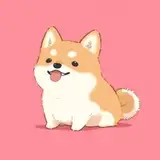
MSage's VRChat Follower Pets are virtual companions that bring a touch of whimsy and companionship to the virtual reality realm. Crafted by the creative mind of MSage, these follower pets are intricately designed digital creatures that accompany users within the immersive world of VRChat.

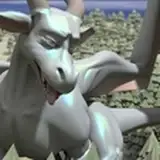
Each pet is a unique and charming entity, featuring a delightful blend of imaginative elements. From pixelated dragons that flutter alongside avatars to adorable robotic sidekicks with expressive animations, MSage's VRChat Follower Pets are a testament to the fusion of technology and creativity.
These pets seamlessly integrate into the VRChat experience, responding to the user's movements and interactions with a delightful mix of playfulness. Whether soaring through virtual landscapes or perching on an avatar's shoulder, these follower pets add an extra layer of engagement and entertainment to the VRChat community.
What is this package for?:
This package is required for enabling the special features that come with Follower Pets, that are compatible with MSage's Follower Pet System.
Install this Package on your avatars before releasing them or using them. If you are an avatar seller, and you have this system installed on your avatars, it will make it easier for your customers to use follower pets on your avatars. They will only need to click and drag their purchased pets to their model and DONE!
Highlighted Features:
- Passive: Pet will follow you every where you go.
- Pet Stay: Pet will stop following you and will stay in place.
- Pet Stationed: Pet will mount what ever avatar bone you set to be mounted. Recommended bone is listed within the product. (Some Pets Can be mounted using this!)
Example: Some pets can sit on your head when Pet Stationed is triggered
- Pet Follow other players: Pet will follow the player you have in front of you. Interactions must be turned on for both players, and you must have the other player's Avatar loaded.
- Pet Action: Some pets have special interactions, such as if you pet them, kick them, etc. For example, some pets will shake their head when you put your hand on their head.
- Pet Grabbed: Most pets can be grabbed by other players that have interactions turned on. While grabbed, the pet will display special animations depending on the individual pet. Pets can still be grabbed while the pet is in "Pet Stay" Mode.
- Pet Remote: You can pilot the pet as if you were flying a drone. Using this will display the pet's point of view in front of your face.
- Pet Quest Compatibility: Pets come with a quest targeted prefab, which still has all of the same features as the PC version of the pet, however, with limited animations and materials. The Camera is also removed from the "Pet Remote" Feature
FOLLOWER PETS ARE SOLD SEPERATLY AND ARE NOT INCLUDED IN THIS PACKAGAE

How to install this system?:
- Install the Avatar 3.0 Manager using the creator companion. If you do not wish to use the creator companion, then please download the plugin here: https://github.com/VRLabs/Avatars-3.0-Manage
- Merge the Pet.FullSystem.FX layer that comes with the base system with the FX layer that your avatar is currently using. Make sure the following Expression parameters are checked and added to your Parameters list and have the following settings:
"Pet.Int" (Int) (Synced), "Pet.Remote/X" (Bool) (Synced), "Pet.Remote/Y" (Bool) (Synced), "Pet.Remote/Z" (Bool) (Synced), "Pet.Remote/R" (Bool) (Synced)
- Add the "Pet Menu" to your Expression Menu list on your avatar as a sub menu.
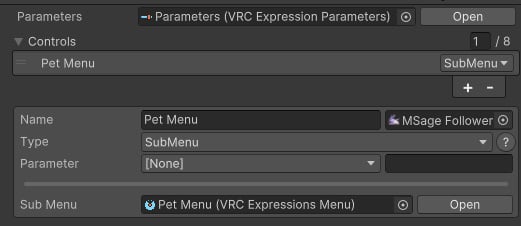
- Now, you must add the Pet's animations to your FX Layer. Each pet comes with it's own Pet.(NameOfPet).FX layer. With the same process as the Pet.FullSystem.FX layer, make sure to add the Pet.(NameOfPet).FX to your avatar's FX layer using the Avatar 3.0 Manager window.
- Now you can add your pet to your avatar. First, click and drag the Follower Pet Prefab to the open Hierarchy and NOT directly to your avatar. Then, click and drag the pet to your avatar within the Hierarchy, DO NOT unpack the prefab for the pet.
- In order to use "Pet Stationed", you will need to pay attention to the sale page of the pet you've bought. On the page, you will see "Recommended Station Point". Please be sure to set the Source within the Parent constraint of "Pet Station Point" to the bone that is recommended! (See the Gif). Once that's done, go further into "Pet Station Point" in the hierarchy, and you will find "Final Station Point Location", adjust that in order to fit your avatar.In order to use "Pet Remote", You will need to set the Source within the Parent constraint of "Pet Remote Camera Point" to your avatar's head bone! (See the Gif)

- And you're done! You're ready to upload your avatar to VRChat, and the pet should be fully working IF you had install the pet correctly.
-
Do this step is you'd like to upload the quest version of the pet: Navigate within the "Pet Prefabs" folder and find the "Quest" folder. Click and drag the "Follower Pet" prefab within the folder into your Hierarchy. Then, click and drag the pet to your avatar, place the pet in the general location where your PC pet is located. You can now upload the quest version of your avatar.
Use the same parameters list when using the pet on quest.
Watch the tutorial video to see EXACTLY how to install the system: (Tutorial will be posted soon.)
Important Notes (Must Read):
- The System requires your FX layer to be made with "Write Defaults" turned on. If "Write Defaults" is turned off for anything within your FX Layer, the pet will not work.
- Make sure Write Default is turned off within your Gesture layer (NOT THE FX LAYER). If "Write Defaults" is turned on within the gesture layer, the pet will not work properly.
- If you're using Gogo Locomotion, make sure you're using the WD version of each Gogo Locomotion Controller.

- Pet Remote does not fully sync between players, due to the difference in frame rates between players.
You ARE NOT allowed to create your own pets using this system! There are scripts required in order to develop pets and other pet animations which are not publicly available, however, you are not allowed to make your own pets even if you figure out a way to do so. This system is ONLY for pets created by MSage and MSage alone.
MSage's Creator Promotion Booth:
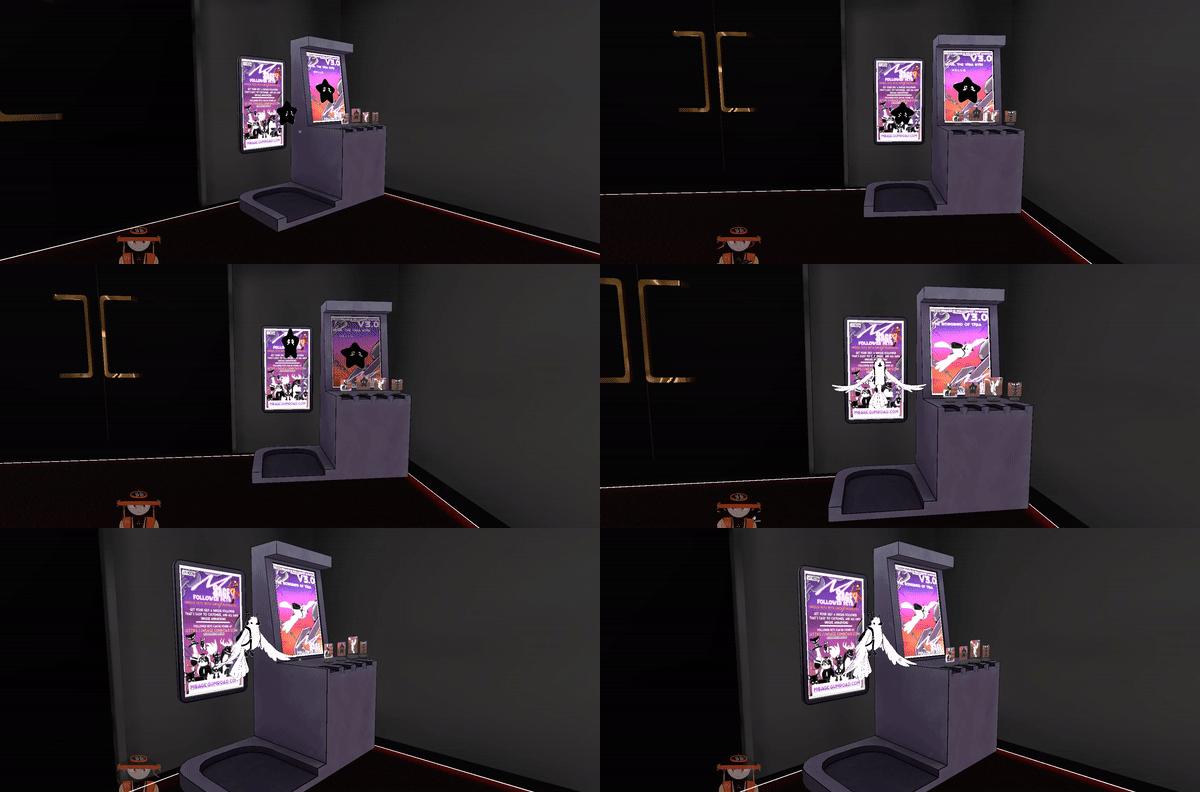
This is my creator promotion booth, when you get this system, it also comes with a download for my creation booth! If you message me on discord showing me that you put this in your world, I will give you a discount code for all of my products!
Soon, I'll be posting the booth as it's own product for other creators to use too promote their work!

MSage's Follower Pet System & associated assets © 2023 by "MSage" is licensed under CC BY-NC-ND 4.0
Pet System Downloads
Please be sure to use the newest version Below:
Version v5.2c: (2/7/2025)
Version v5.0: (10/01/2024)
Creator Booth Downloads
Please be sure to use the newest version Below:
Creator Promotion Booth v2.0:
Change Log
Change Log v5.2c: (2/7/2025)
Added a script that makes installing the pet system EXTREMELY easy.
Added Rideable pet compatibility
Fixed many bugs and issues
Change Log v5.0a: (10/11/2024)
Change Log v5.0: (10/01/2024)
Added: "Pet Remote" Feature. Control your pet like a drone, viewing from the pet's point of view.
Changes: Unity version 2022+ is now required for this system to work properly.
Change: Removed all unity constraints and replaced them with VRC constraints. This allows for better Quest compatibility.
Change: Pet can now be grabbed by other players during "Pet Stay".
Change: The transition between run and idle animations is now smooth.
Removed: "Pet Camera" Feature. I'll be creating a separate system for those who loved the camera feature.
License Key